
Last Updated: November 2026 | Plans, limits and features checked on GoTo’s official pricing, product and support pages in October 2026
Is GoToMeeting still worth paying for in 2026? For small and mid-sized teams that want dependable video meetings without a 40-minute cap, yes. This GoToMeeting review starts with the number most people want: GoTo Meeting costs $12 per organizer per month on an annual plan, attendees join free, and the Business plan adds unlimited cloud recording, transcription and AI meeting summaries for $16. Below I cover every plan and its participant limit, the free plan and 14-day trial, the features that matter, security, pros and cons, and how it stacks up against Zoom, Microsoft Teams and Google Meet.
Content Outline
Key Takeaways
- Pricing: Professional is $12 and Business is $16 per organizer per month billed annually ($14 and $19 month to month). Enterprise is quote-only.
- Capacity: 150 participants on Professional and 250 on Business and Enterprise. Bigger events belong on GoTo Webinar.
- Free options: GoTo Meeting Free (3 participants, 40 minutes) and a 14-day trial that needs no credit card and does not renew automatically.
- Best value: Business, because cloud recording, transcription, AI summaries, drawing tools, keyboard and mouse sharing, and co-organizers all start there.
What Is GoTo Meeting?
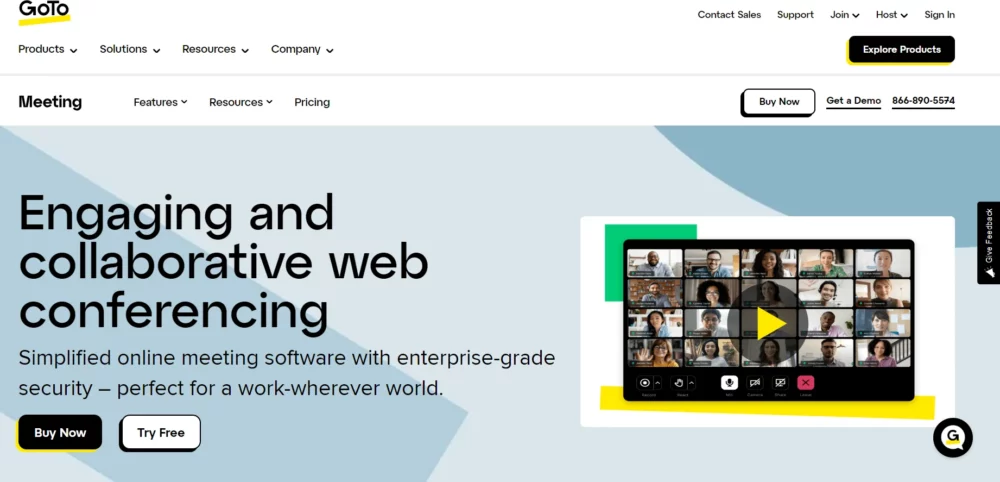
GoTo Meeting is a video conferencing and online meeting app from GoTo, the company that used to be called LogMeIn. You’ll still see it written as GoToMeeting, its original name. Organizers host from the desktop app (Windows and Mac), the iOS or Android app, or a browser, and attendees join from a link in one click without paying for anything.
It’s a dedicated meetings tool rather than an all-in-one workspace. You get HD video, screen sharing, a dial-in phone line, breakout rooms, polls and a personal meeting room on every paid plan, with recording and AI features on Business. Paid meetings have no 40-minute cut-off, and a single session can run for up to 8 hours.
GoTo Meeting Pricing 2026
GoTo charges per organizer, meaning the people who schedule and host meetings. Attendees never need a paid seat, so a 30-person company where five people run meetings pays for five licenses.
| Plan | Billed annually | Billed monthly | Participants | What it adds |
|---|---|---|---|---|
| Free | $0 | $0 | 3 | 40-minute meetings, screen sharing, VoIP audio, in-meeting chat |
| Professional | $12/organizer/mo | $14/organizer/mo | 150 | Unlimited meetings, HD video, dial-in conference line, breakout rooms, polls, hand raising, closed captioning, personal meeting room |
| Business | $16/organizer/mo | $19/organizer/mo | 250 | Unlimited cloud recording, transcription, AI meeting summary, Smart Assistant, note taking, slide to PDF, drawing tools, keyboard and mouse sharing, co-organizers |
| Enterprise | Custom quote | Custom quote | Up to 250 | InRoom Link (SIP) for conference rooms, customer success manager, onboarding and training, volume discounts, bundles with GoTo Webinar and phones |
Free plan and 14-day trial
GoTo Meeting Free covers quick one-on-ones: up to 3 participants, meetings up to 40 minutes, screen sharing, VoIP audio and chat, from the mobile app or a Chrome or Edge browser. It has no recording, no phone dial-in and no breakout rooms.
The free trial is the better test. It runs for 14 days, needs only your name, business email and a password (no credit card), and simply expires at the end instead of billing you. Your recordings and meeting history stay in the account if you subscribe later with the same email.
Professional: $12 per organizer per month
Professional is enough for teams that just need reliable calls. You get 150 participants, unlimited meetings, HD video, web audio plus a dial-in conference line, breakout rooms, hand raising, quick polls, closed captioning and the Slack, Office 365, Google Calendar and Salesforce integrations. What you don’t get is unlimited cloud recording, transcription or the AI tools.
Business: $16 per organizer per month
Business is the plan most teams should pick. For $4 more per organizer it raises the cap to 250 participants and adds unlimited cloud recording (including from mobile), transcription, an AI meeting summary, the Smart Assistant that pulls out highlights and action items, note taking, slide to PDF, drawing tools, keyboard and mouse sharing, and co-organizers. If you ever need to share a recording or a recap with someone who missed the call, this is the tier.
Enterprise and add-ons
Enterprise is quote-only. It keeps the 250-participant limit but adds InRoom Link for H.323 and SIP conference room systems, a customer success manager, onboarding and training, and volume or bundle discounts across GoTo Meeting, GoTo Webinar, room solutions and phones.
Toll-free numbers, Call Me (GoTo phones you when the meeting starts) and dial-out sit in the Enhanced Audio add-on, priced separately at checkout. The standard dial-in line is already included on every paid plan.
GoTo Meeting Features That Matter
These are the features that decide which plan you need, with the Business-only ones called out.
Join from any device, even on a weak connection
Meetings run in the desktop app, the mobile apps or the browser, and you can switch devices mid-call. GoTo says the app uses 50% less bandwidth than other meeting apps, and on mobile there’s a commuter mode that strips the call down to audio and essentials, plus Siri voice commands for joining hands-free.
Collaboration tools
Every paid plan includes screen sharing, business messaging, a personal meeting room with its own link, hand raising, quick polls and breakout rooms (up to 50 rooms, with everyone joining from the web or desktop app on computer audio). Business adds drawing tools for marking up a shared screen and keyboard and mouse sharing, which is handy for IT support or walking a client through software.
Recording, transcription and AI summaries
On Business and Enterprise, cloud recording is unlimited, so you aren’t paying for storage on top of the seat. Recordings come with a transcript, and the AI meeting summary and Smart Assistant turn a call into highlights, action items and a set of the slides that were shown, which saves writing up notes after every client meeting.
Integrations
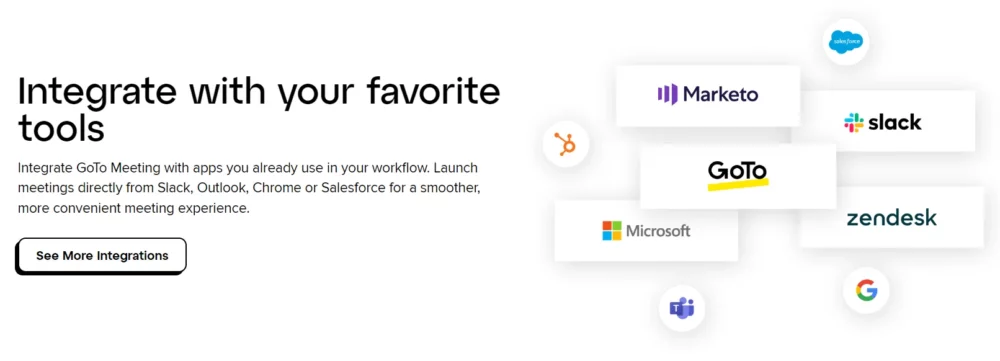
All three paid plans include a Slack meeting launcher, an Office 365 plugin, a Google Calendar plugin and a Salesforce integration, so you can schedule and start meetings from the tools your team already lives in.
Security and admin controls
Screen-sharing data, keyboard and mouse control data and chat are TLS-encrypted in transit and AES 256-bit encrypted at rest, while audio and video use SRTP with AES-128 encryption. Hosts can lock a meeting once it starts, require a passcode and remove anyone they don’t recognize. GoTo also lists risk-based authentication, SOC 2 certified data centers and HIPAA compliance, along with an admin center, single sign-on, an Active Directory connector, meeting diagnostic reports and 24/7 customer care.
What GoTo Meeting Is Like to Use
Setup takes a few minutes: start the trial, pick your personal meeting room name, and you have a permanent link to share. Scheduling from Outlook or Google Calendar drops the link into the invite, and guests join in the browser without installing anything. Two limits are worth knowing. An organizer can host only one session at a time, and a session tops out at 8 hours. If you need to leave early, you can promote an attendee on your account to organizer so the meeting keeps running.
Who Should Use GoTo Meeting?
- Sales teams running demos and discovery calls, who want a recording and summary of each call. Once the deal is agreed, an e-signature tool closes it; our Docusign pricing guide breaks down what that costs.
- Remote and hybrid teams that need reliable daily stand-ups without a 40-minute timer.
- IT and support staff who benefit from keyboard and mouse sharing on Business.
- HR and recruiters running interviews and onboarding sessions with outside candidates who shouldn’t need an account.
- Trainers and educators with groups of up to 250. For larger audiences, GoTo Webinar is the better fit, and our webinar statistics roundup shows how those events tend to perform.
GoTo Meeting Pros and Cons
Here’s how the plans and features above add up in practice.
Pros
- Free plan plus a 14-day trial with no credit card
- Paid meetings have no 40-minute cap and only organizers pay
- Low bandwidth use and a commuter mode for calls on the move
- Business includes unlimited cloud recording, transcription and AI summaries
- Meeting lock, passcodes, AES encryption and HIPAA compliance
Cons
- Professional caps meetings at 150 participants
- Recording and AI features require the Business plan
- Toll-free numbers and Call Me audio are a paid add-on
- Free plan allows only 3 participants for 40 minutes
- Meetings above 250 people need GoTo Webinar instead
GoTo Meeting vs Zoom, Microsoft Teams and Google Meet
Zoom has the biggest app ecosystem and is what most guests already have installed. GoTo’s pitch against it is price and reliability: annual plans from $12 per organizer and unlimited cloud recording on Business.
Microsoft Teams makes the most sense if your company already pays for Microsoft 365, because chat, files and meetings live in one app. If you don’t, GoTo Meeting is the lighter, meetings-only option.
Google Meet is the easiest choice for Google Workspace teams, since meetings start straight from Gmail and Calendar. Pick GoTo Meeting instead when you want phone dial-in on every paid plan, a Salesforce integration and a dedicated meetings admin center.
Does GoTo Meeting Have an Affiliate Program?
Yes. The GoTo Affiliate Program runs on Impact and pays for the trials, leads and sales you drive across GoTo’s products, including GoTo Meeting and GoTo Connect. GoTo doesn’t publish its affiliate rates or cookie window publicly, so you see them after approval (questions go to affiliates@goto.com). Separately, GoTo’s Referral Partner Program for the US and Canada pays a one-time referral fee of 20% to 30% of monthly recurring revenue, plus a 10% to 20% renewal fee depending on your tier, for customers who sign a 12-month contract and use the service for at least 90 days.
Business software like this suits affiliates because subscriptions renew and teams buy several seats. For more programs in the same space, see why SaaS affiliate programs still offer some of the highest commissions.
FAQs: GoToMeeting Review 2026
Quick answers on GoTo Meeting’s cost, limits, recording, security and affiliate options.
Yes, GoTo Meeting Free lets you host meetings of up to 40 minutes with up to 3 participants, including screen sharing, VoIP audio and chat. Recording, phone dial-in and longer meetings need a paid plan. You can also try the Business plan free for 14 days with no credit card, and the trial does not renew automatically.
GoTo Meeting Professional costs $12 per organizer per month billed annually or $14 month to month, and Business costs $16 billed annually or $19 month to month. Enterprise is priced by quote. Only organizers need a paid license; attendees join free.
GoTo Meeting Free allows 3 participants, Professional allows 150, and Business and Enterprise allow up to 250. For events with more people, GoTo points you to GoTo Webinar.
Yes. GoTo Meeting Business and Enterprise include unlimited cloud recording, including from the mobile app, along with transcription, an AI meeting summary and the Smart Assistant, which lists highlights and action items.
GoTo Meeting encrypts screen-sharing, keyboard and mouse, and chat data with TLS in transit and AES 256-bit at rest, and protects audio and video with SRTP and AES-128. Hosts can lock meetings, require passcodes and remove participants, and GoTo lists HIPAA compliance and SOC 2 certified data centers.
Yes. The GoTo Affiliate Program runs on Impact and pays for trials, leads and sales across GoTo products, with rates shown after approval. GoTo's Referral Partner Program for the US and Canada pays 20% to 30% of monthly recurring revenue as a one-time referral fee for qualified customers.
Verdict: Is GoTo Meeting Worth It in 2026?
GoTo Meeting is a solid, no-fuss meetings tool. Professional at $12 per organizer is fine if you only need calls, but Business at $16 is the real value: unlimited cloud recording, transcription and AI summaries for $4 more, and 250 participants instead of 150. Teams deep in Microsoft 365 or Google Workspace may not need another app. Everyone else should run the 14-day trial on a few real meetings, since it costs nothing and needs no card.